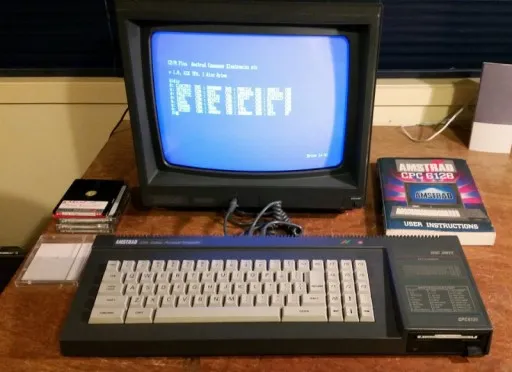
I have used computers all my life and started with an Amstrad CPC 6128 which had a 128kb of ram and no hard disk drive. I started programming when I was around 10 years old and started by typing in computer game code listings in the basic programming language and making minor changes to those games.
In high school, I did programming courses and used Turbo Pascal 7 and Visual Basic 5 as the programming languages taught in the school.
In 1998 I started using Linux as it had way more to offer than windows in the way of programming languages and servers that I could run.
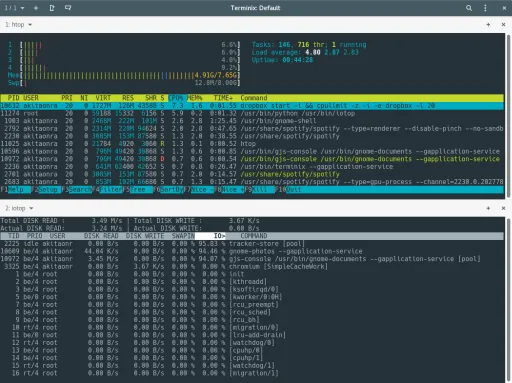
In January 2000 I started a computer traineeship with ByTech Computer Systems as I knew Linux I started setting up file servers, print servers and fax servers for clients. Back then business-grade printers did not have print or fax servers built into them and Windows NT was expensive for many small businesses so Linux was a perfect solution for them as they could upgrade their desktop computers and their old computers could be turned into a Linux Server.
I also took on the role of building and maintaining the companies websites and also built custom php and mysql applications to perform business tasks.
Tags:
Latest Blog Posts:
How to Run Local LLMs on Arch Linux With an RTX 3050 and 64GB RAM
Configure an Arch Linux PC with an RTX 3050 4GB, and 64GB RAM to run local AI models with llama-server: tuned presets for nine models including gpt-oss-20b, the built-in browser chat UI, and OpenCode as a local coding assistant.
Percent Risk Per Trade and Account Balance Loss Over Time
Table showing the number of losing trades in a row to lose your account at different risk levels
How to setup a web development environment on Linux that has dynamic domains for your web applications
Learn how to configure a professional local web development environment on Linux with dynamic wildcard domains (*.test, *.local), automatic SSL certificates, and Nginx reverse proxy for seamless multi-project development.
How to do backups with rsync on Linux
Comprehensive guide to using rsync for backups on Linux systems
How to use GitHub Actions Workflow to Deploy Your Website using rsync automatically
Learn how to automate your Hugo website deployment with GitHub Actions and rsync for fast, secure updates.
How to add Lunr.js Search to Your Hugo Website
Learn how to integrate Lunr.js for fast, client-side search functionality in your Hugo static site.
How to use Github Actions to Deploy a Hugo Website to GitHub Pages automatically
In this post, I'll walk you through a complete GitHub Actions workflow for building and deploying a Hugo static website to GitHub Pages. This setup is ideal for developers who want a free, automated hosting solution for their blogs, documentation sites, or portfolios. It replaces manual uploads with a push-to-deploy pipeline.
How to Setup Hugo Admonitions (Markdown Callouts in Hugo)
By adding Hugo Admonitions to your website so you can easily add stylish note bars for things like tips, warnings, cautions, important information etc. You can do this quickly and easily directly using markdown.
How to setup Syntax Highlighting with Copy Button using Hugo
In this post, I’ll show you how to add syntax highlighting and a ‘Copy’ button to your Hugo code blocks using a single self-contained JavaScript file. You’ll be able to highlight code in multiple languages, optionally show line numbers, and let users copy snippets with one click.
How to strip unused CSS from your CSS files and Minify them into a single CSS file using Hugo
Using Hugo with PostCSS and PurgeCSS allows you to automatically remove unused CSS and bundle all your styles into a single minified file for production, improving page load times and performance.